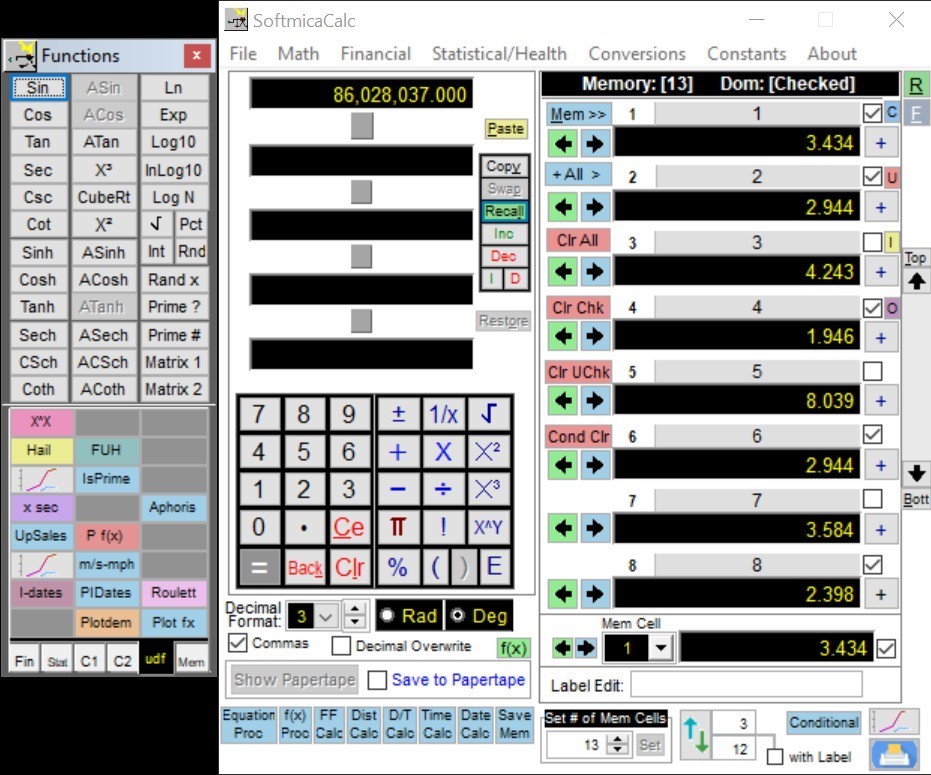
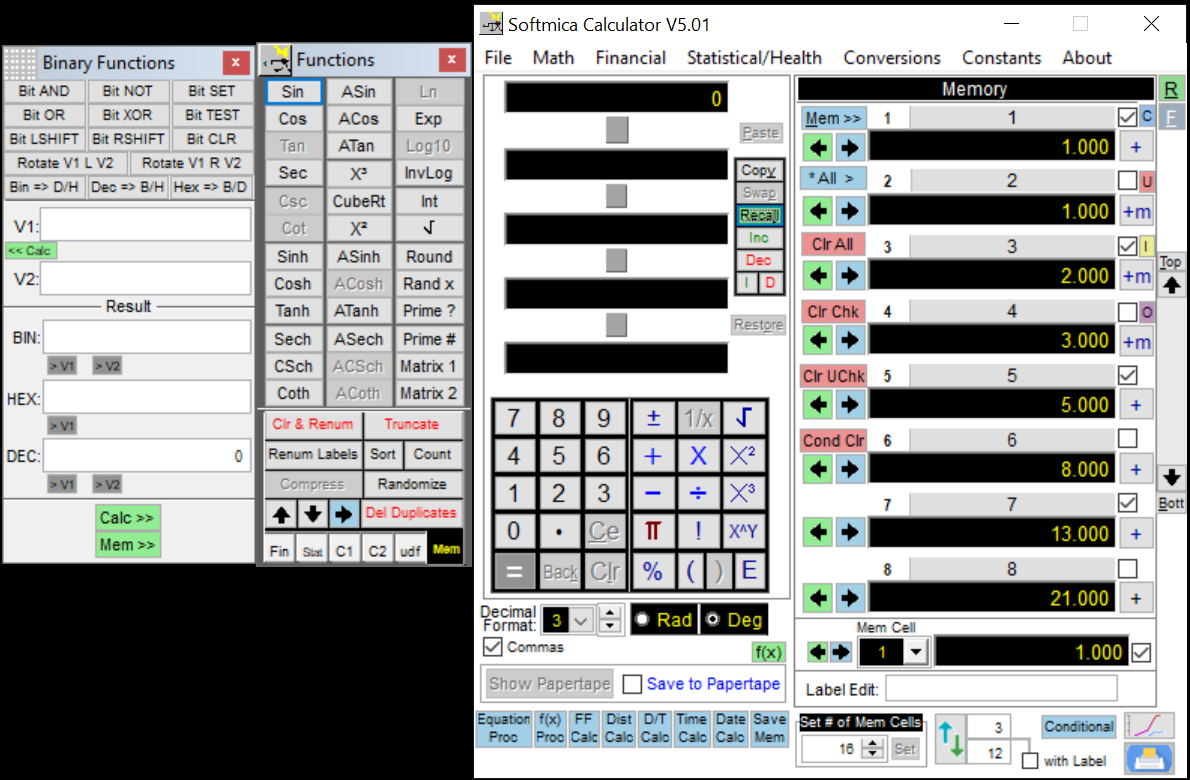
Powerful Windows Calculator – SoftmicaCalc: The Ultimate Digital Tool
Welcome to the
world’s most powerful and versatile Windows calculator! Whether you’re a
student, professional, or anyone dealing with numbers daily, SoftmicaCalc is
the go-to tool.
Key
Features of SoftmicaCalc at a Glance
- Full-function visual scientific
calculator with an intuitive layout.
- Ten visual calculation levels
and ten operator levels.
- Order-of-precedence override
using parentheses (up to 7 levels deep).
- Ability to change operators
mid-calculation.
- Decimal overwrite for precise
numeric editing.
- Paper tape recording: save,
print, or reverse tape entries.
- Most functions and number
entries available via keyboard shortcuts.
- Customize numeric display:
decimal places, comma separators, scientific notation.
- Direct keyboard entry for fast
input of numbers and core functions.

Memory Management Made Easy
- Up to 99,999 memory cells;
minimum of 8 available at all times.
- One-click value transfer using
[Mem] button or direct arrow buttons.
- Circular scrolling through
memory cells.
- Independent memory location
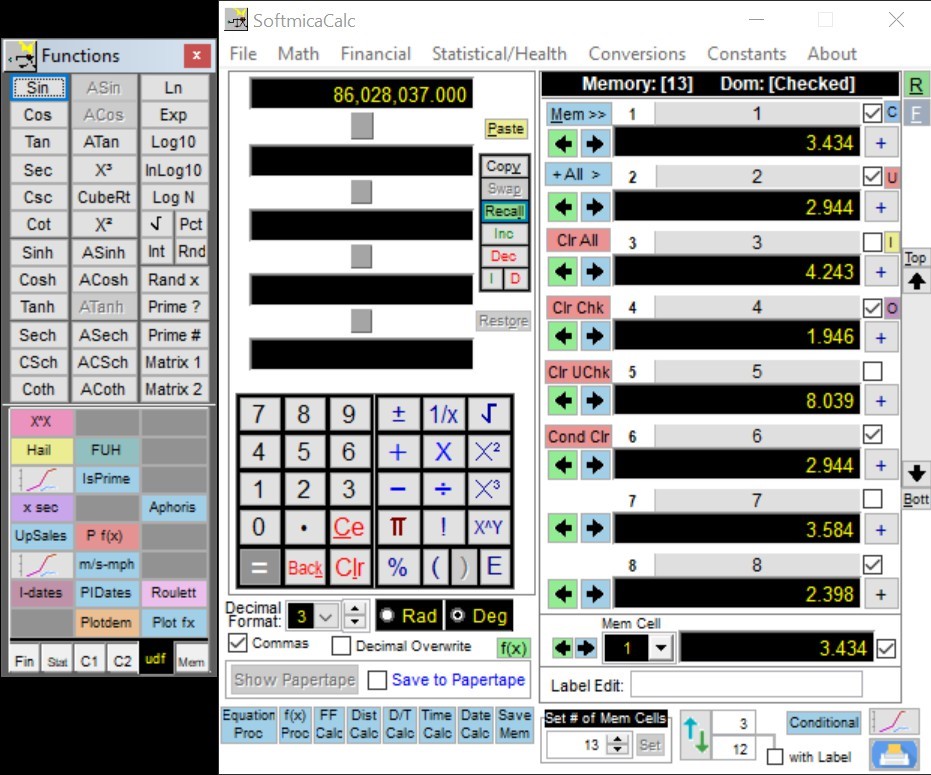
selector with 8 displayed at once.
- Save, recall, and merge
unlimited memory sets.
- Memory filtering: check/uncheck
locations based on criteria.
- One-click plotting or printing
of memory values.
- Selective chart/print options.
- Drag-and-drop support for labels
and values.
- Swap, sort, truncate, compress,
and clear memory cells.
- Remove duplicate values and
renumber labels easily.
- Curve fitting tools: linear
regression, polynomial, and exponential.

Power and
Performance That Stands Out
What
makes this calculator powerful compared to others?
SoftmicaCalc
offers a combination of scientific functionality, memory control, and visual
design that typical desktop calculators don’t. Its ability to store vast
amounts of data, visualize memory, and perform advanced operations in one
interface makes it a powerful Windows calculator—ideal for engineers, students,
analysts, and more.
Advanced
Functionality at Your Fingertips
- Redefinable action buttons (both
calculator and global memory).
- Memory backups: up to five
levels + frozen memory backup.
- Frozen backups can be recalled
any time and don’t change unless edited.
- Right-click memory functions for
fast access to specialized features.
- Domain-based memory actions —
operate only on selected values.
- Multiple memory management tools
to improve productivity.
Can it
handle scientific and binary operations?
Yes,
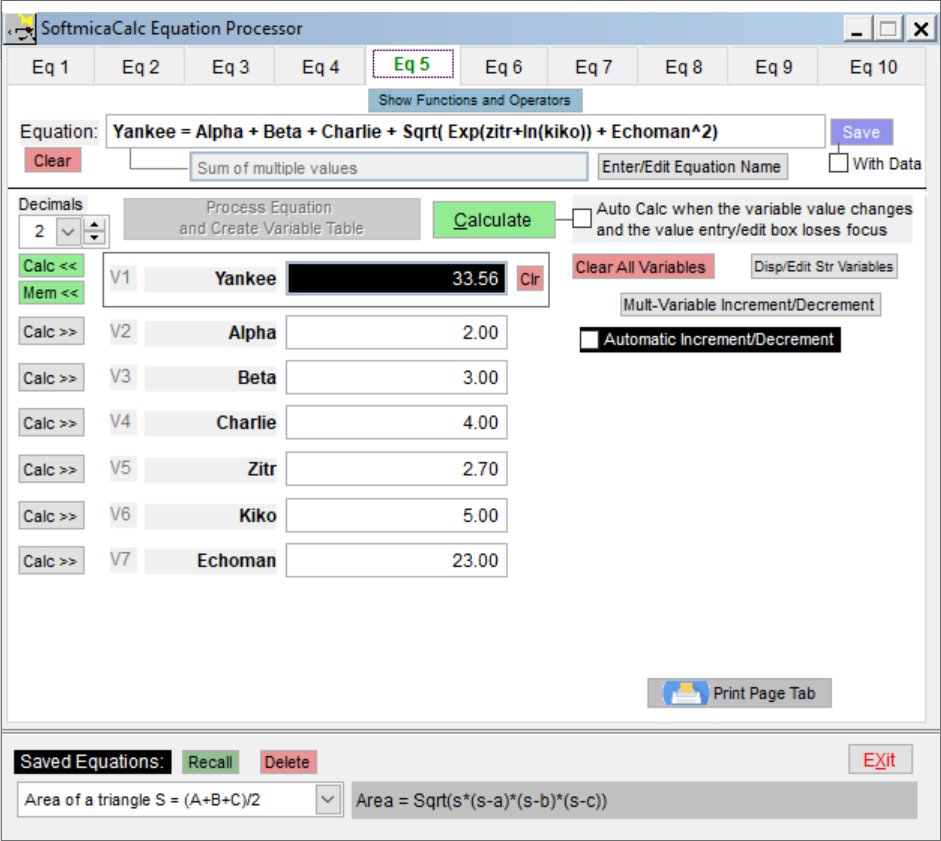
SoftmicaCalc excels in both areas. As a visual scientific calculator, it
supports complex math operations with clarity and accuracy. It also functions
as a Binary Operations calculator, allowing you to run binary functions
across selected memory cells or data sets — useful in programming, networking,
and digital logic calculations.
User
Experience Enhancements
- Clean, professional UI with high
visibility of calculation levels.
- Eight consecutive memory cells
always visible.
- Cursor-enabled scrolling on
memory values.
- Single-button navigation to top
or bottom of memory.
- Right-click access to memory
domain actions.
- Label and value drag/drop
feature to streamline data organization.
What if I
make a mistake or lose data?
No
worries. SoftmicaCalc offers multiple safety nets:
- Automatic memory backup every
time you make a change.
- Up to five backups available for
recovery.
- A “frozen” backup can be set
anytime — it remains untouched unless changed manually.
- These tools ensure that your
data is never lost, making SoftmicaCalc a highly reliable and powerful Windows calculator.
Smart
Output and Presentation Tools
- Easy printing of tape and memory
logs.
- Customizable print and chart
options.
- Ability to create selective
reports from memory.
- Plots generated from memory data
can be visualized instantly.
- Save outputs for documentation,
sharing, or classroom instruction.
Is this
calculator suitable for students and professionals?
Absolutely.
Whether you’re:
- A student working through
complex math problems,
- A teacher explaining
calculations with visual steps,
- A data analyst organizing and
analyzing value sets,
- Or an engineer working with
memory-intensive models,
SoftmicaCalc
is designed to support your needs. From visual scientific calculator features to powerful binary logic
capabilities, it meets real-world use cases across multiple disciplines.
Built for
Performance and Control
- Perform binary operations across
defined memory domains.
- Assign custom memory labels and
actions.
- Save unlimited memory
configurations.
- Clear and reset functionality
for focused tasks.
- Direct entry and operation using
only the keyboard — no clicks needed.
How does
SoftmicaCalc differ from online calculators or basic apps?
While
basic apps offer limited functionality, SoftmicaCalc includes:
- Full memory control (with up to
99,999 cells).
- Multi-level operations.
- Equation history (paper tape).
- Customization options for
display and function control.
- It’s not just a calculator; it's
a full digital workspace.
Binary
Operations Support
- Use as a Binary Operations calculator for specialized digital logic
tasks.
- Perform actions on specific
memory cells or ranges.
- Combine binary operations with
visual memory for advanced workflows.
- Designed for programmers,
engineers, and computer science students.

Can I use
this in teaching or training environments?
Definitely.
The visual layout, tape logging, and memory plotting features make it a great
tool for demonstrations and collaborative problem-solving. Teachers can break
down calculations step-by-step, while students benefit from seeing operations
unfold visually — enhancing understanding and retention.
Final
Highlights
- Designed for professionals,
educators, students, and data analysts.
- Delivers precision, control, and
visualization in one package.
- Trusted across industries as a
top-tier visual scientific calculator.
- Offers advanced memory
management and statistical tools.
- Recognized widely as the most
powerful Windows calculator.