Mastering Your Schedule: The Ultimate Guide to Vis...
14 May, 2026

by admin
| 27 Feb' 2026
SoftmicaCalc is a feature-rich online calculator platform designed to match the power and workflow of advanced desktop tools while remaining simple to use for everyday tasks. It combines a fast core calculator, a spreadsheet-like memory system, detailed calculation history, and a full Equation Processor—making it ideal as a scientific calculator online, financial calculator online, and math solver online for students, engineers, analysts, and professionals.
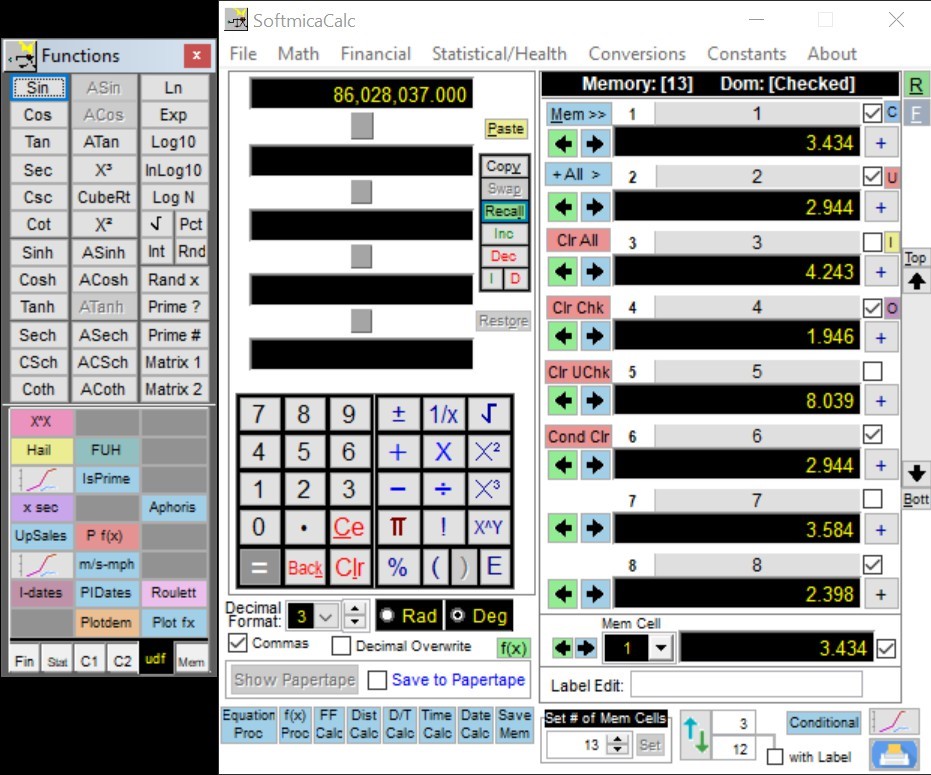
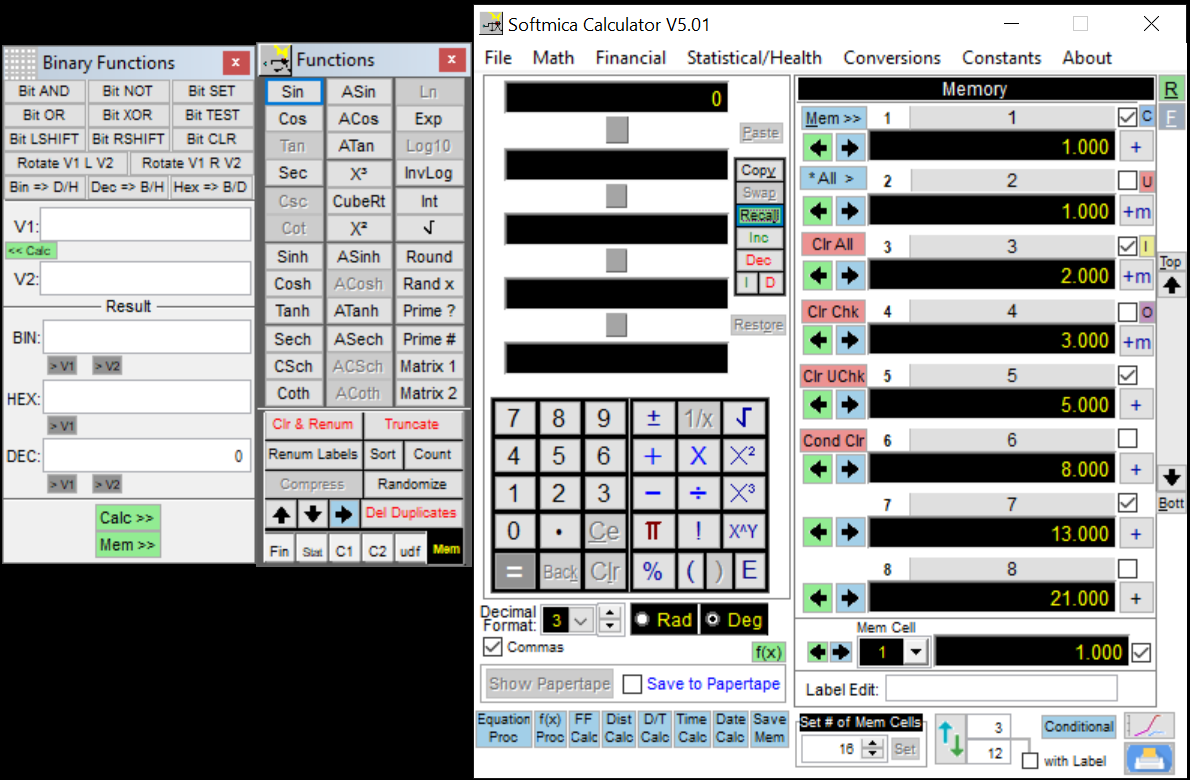
The primary calculator window is organized into five practical sections. The Calculation Area shows active values, multiple calculation levels (Level 1, 2, 3…), pending operators, and final results that resolve back into Level 1. The Keypad and operator panel supports both on-screen input and full keyboard control. Formatting controls let users choose comma separators, decimal precision, rounding behaviour (Softmica rounds correctly rather than truncating), and scientific notation display. A command area provides quick access to specialized calculators and processors. On the right side, Visual Memory calculator stays visible at all times, supporting multiple memory sets and instant value recall for efficient math solver online usage.
Softmica’s Paper Tape adds clarity by recording calculation history from the moment it’s enabled. It updates automatically and captures intermediate steps—especially useful for complex expressions with precedence and parentheses. The calculator distinguishes unary functions (like √, conversions, and many scientific actions) versus binary operators (+, −, ×, ÷, power, modulus) that open additional calculation levels until enough operands are entered. Parentheses can nest up to four levels, and pressing equals can auto-close missing brackets to complete expressions cleanly.
Memory features go far beyond basic “M+ / MR.” Values can be moved and renamed via drag-and-drop, saved into reusable memory sets, printed as a grid, copied to Excel, and charted. Bulk tools allow selecting subsets of memory cells across sets, inverting selections, or applying conditional criteria to check/uncheck or clear values. Right-click actions can apply functions (like ln or exp) to one cell or a chosen domain. A configurable global action can perform operations across selected memory values—perfect for fast scenario updates in a math solver online.
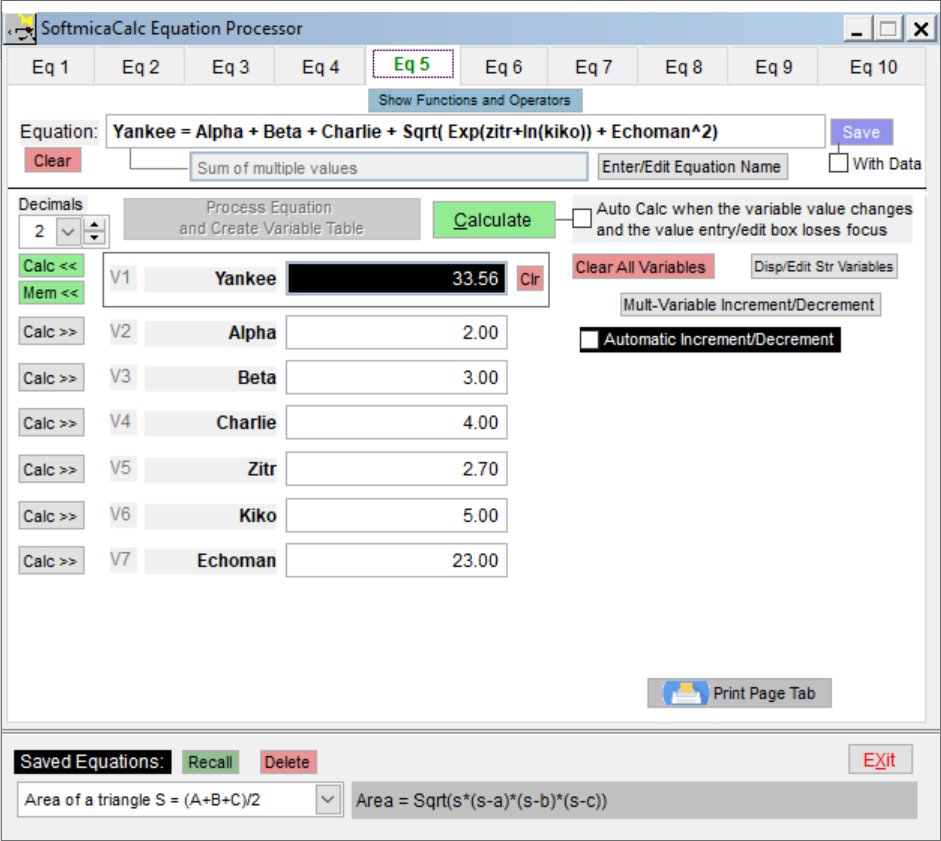
The Equation Processor extends Softmica into a true math solver online . It provides a multi-tab equation interface where each tab can store a persistent user-defined equation (up to 160 characters) with up to ten variables and safe naming rules. Variables are detected automatically and shown in a table-like input panel with smooth Tab/Shift-Tab navigation. Equations can be saved, named, recalled, and listed alphabetically for repeated use.
For analysis and modeling, the Equation Processor includes single-variable and multi-variable increment/decrement (up to four variables), producing result tables that can be exported, printed, and plotted. It runs background processing to keep the UI responsive, supports global and tab-specific string variables, and allows adding new built-in functions—making SoftmicaCalc a complete math solver online platform.